
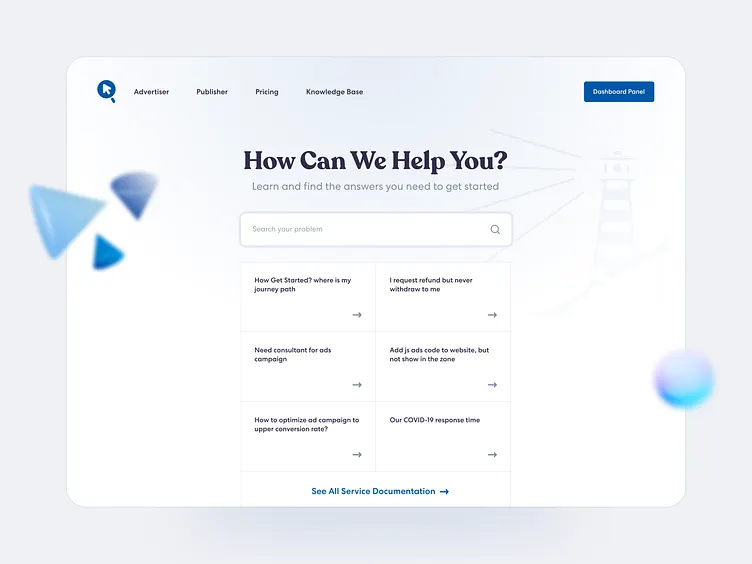
Customers expect quick answers when they visit a website. Whether they need help using a product, managing an account, or resolving a technical issue, waiting for a support response can be frustrating.
A customer self-service portal in WordPress allows visitors to find answers independently through helpful articles, FAQs, and step-by-step guides. Instead of contacting customer support for every question, users can access the information they need at any time.
With a WordPress knowledge base plugin like Instant Knowledge Base by 7thSky Software, businesses can organize support content and make it easily accessible to customers.
What Is a Customer Self-Service Portal?
A customer self-service portal is an online support resource where users can find solutions without directly contacting a support representative.
It typically includes:
- Frequently asked questions (FAQs)
- Product documentation and user guides
- Troubleshooting articles
- Step-by-step tutorials
- Searchable help articles
For example, an online store can create a help center explaining payment methods, shipping policies, and returns. Similarly, a software company can provide installation instructions and troubleshooting guides.
A well-organized portal helps customers solve common problems while allowing support teams to focus on more complex requests.
Why Does Your WordPress Website Need a Self-Service Portal?
Providing self-service support benefits both businesses and customers.
1. Reduce Customer Support Requests
Many customers contact support with similar questions. Publishing answers in a knowledge base can reduce repetitive inquiries and save time for support teams.
2. Provide 24/7 Customer Support Resources
Unlike traditional customer service, a self-service portal remains accessible around the clock. Customers can find information whenever they need it, regardless of business hours.
3. Improve Customer Experience
Customers appreciate being able to solve simple problems independently. Clear instructions and searchable articles make the support process faster and more convenient.
4. Improve Website SEO
Publicly accessible knowledge base articles can help websites appear in relevant Google searches. Helpful documentation targeting specific customer questions may also attract visitors looking for solutions.
How to Create a Customer Self-Service Portal in WordPress
Creating a customer self-service portal does not require building a separate website. You can add a knowledge base directly to your existing WordPress installation.
Step 1: Install a WordPress Knowledge Base Plugin
Start by choosing a plugin designed to organize and display support documentation.
Instant Knowledge Base provides a solution for creating searchable knowledge base content within WordPress.
Install and activate the plugin, then configure its available settings to match your website’s requirements.
Step 2: Organize Your Support Content
Before publishing articles, divide your documentation into clear categories.
For example, a software website might use:
- Getting Started
- Installation and Setup
- Account Management
- Troubleshooting
- Frequently Asked Questions
Organized categories make it easier for customers to browse related information.
Step 3: Create Helpful Knowledge Base Articles
Write articles that answer real customer questions.
Each article should focus on one specific problem and explain the solution in simple language. Use descriptive headings, numbered instructions, and screenshots when necessary.
For example, instead of writing a general article about account management, create a specific guide titled “How to Reset Your Account Password.”
Step 4: Make Information Easy to Search
A search feature helps customers find answers without browsing multiple categories.
Instant Knowledge Base includes search functionality designed to help visitors locate relevant documentation.
Use clear article titles and relevant keywords so customers can identify the information they need.
Step 5: Keep Your Knowledge Base Updated
A customer self-service portal should evolve with your products and services.
Review articles regularly, update outdated instructions, and add answers to frequently reported customer problems.
Accurate documentation builds trust and improves the usefulness of your support resources.
Why Choose Instant Knowledge Base for WordPress?
Instant Knowledge Base by 7thSky Software helps WordPress website owners create an organized documentation system.
Businesses can use it to publish support articles, structure information into categories, and provide searchable resources for visitors.
Whether you operate an online store, software business, or service-based website, a knowledge base can become an important part of your customer support strategy.
Creating a customer self-service portal in WordPress is a practical way to improve customer support without increasing your team’s workload.
Use up and down arrow keys to resize the meta box pane.
By organizing common questions, publishing helpful guides, and making information searchable, businesses can provide a better support experience.
Explore Instant Knowledge Base by 7thSky Software to start building a more accessible and organized WordPress help center.