
Building an efficient help center, customer support hub, or internal documentation wiki requires a structured way to organize and display information. While WordPress is an excellent content management system, its default post and page structures are not optimized for technical hierarchies or instant search queries.
Selecting the right knowledge base plugin depends entirely on your architectural goals, formatting requirements, and target audience. Below is a comprehensive guide to the top WordPress knowledge base solutions, categorized by their structural strengths.
1. The Best for Pure Simplicity: Instant Knowledge Base
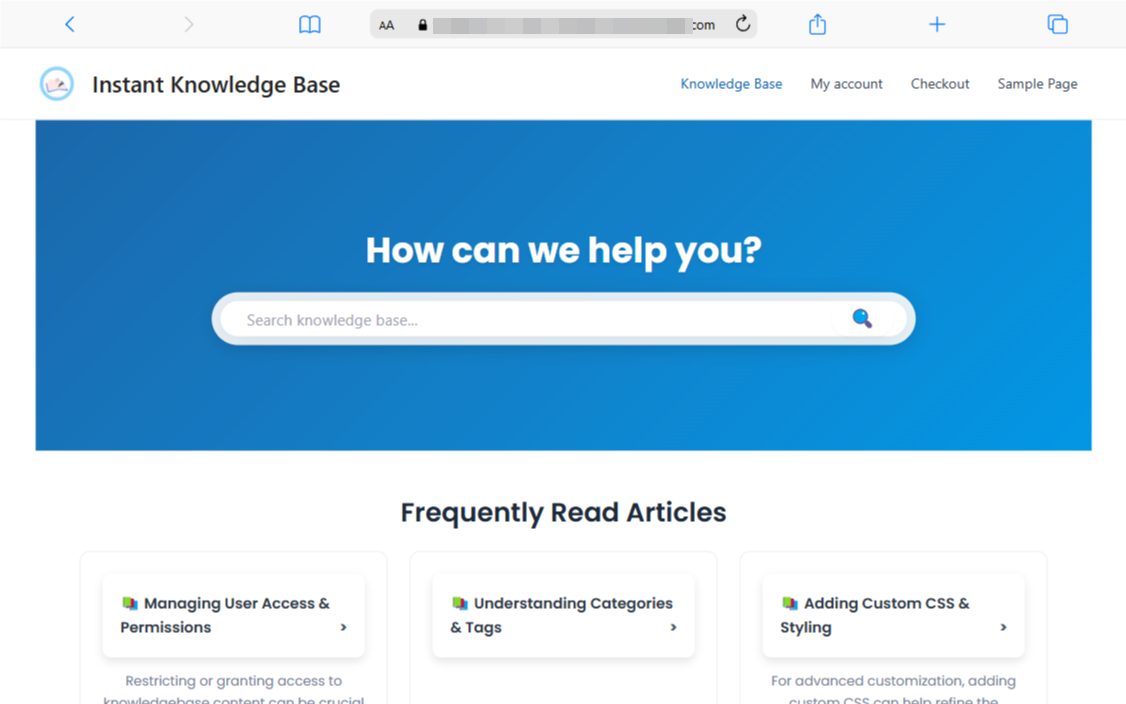
If you want to avoid heavy layout builders WordPress Knowledge Base Plugin and prioritize site speed, the Instant Knowledge Base plugin is a highly effective, streamlined option.
- Key Strengths: It includes three distinct layout modes: Default (clean grid cards), Classic (a permanent side navigation panel), and Plain Index (a text-heavy list directory).
- Built-in Gating: Unlike many free plugins that charge a premium fee to lock content, this tool includes global and per-article login restrictions natively in its free settings.
- Best For: Internal company handbooks, operational staff portals, or lightweight sites that want quick, schema-optimized FAQ structures without performance lag.
2. The Best Overall All-Rounder: BetterDocs
For teams seeking a modern interface equipped with contemporary content tools, BetterDocs stands out as a leading solution. It balances visual design with deep functionality right out of the box.
- Key Strengths: Built-in AI writing assistants, automated FAQ generators, and instant live AJAX search.
- User Experience: It features native Gutenberg compatibility, responsive design templates, and an internal analytics dashboard to monitor what terms your users are searching for most.
- Best For: Public-facing SaaS products, e-commerce stores, and fast-growing businesses that require automated content optimization tools.
3. The Best for Deep Hierarchies & Layout Control: Echo Knowledge Base
When documentation spans dozens of products, services, or complex compliance rules, standard categorization breaks down. Echo Knowledge Base is engineered specifically to handle massive document footprints.
- Key Strengths: Supports up to five distinct levels of nested categories and features a front-end style editor with over 26 pre-built templates.
- Organization: Advanced visual organization allows managers to drag and drop files into structural trees instantly.
- Best For: Enterprise operations, multi-layered service companies, and highly technical reference libraries.
4. The Best for Collaborative Team Wikis: Helpie WP
If your documentation is an evolving resource that requires input from multiple engineers, writers, or team members, a traditional static plugin will not suffice. Helpie WP transforms WordPress into an open wiki environment.
- Key Strengths: Front-end article editing, granular user-role capabilities, and strict version control histories.
- Collaboration Tools: It tracks exactly who modified an article and allows editors to revert back to previous drafts seamlessly if a mistake is made.
- Best For: Open-source software projects, collaborative team environments, and internal crowdsourced knowledge sharing.
5. The Best Lightweight & Free Tool: weDocs
For developers who want a minimal codebase that relies heavily on native WordPress performance, weDocs offers a clean, GitHub-inspired layout without unnecessary visual bloat.
- Key Strengths: Exceptional loading speeds, minimalist nested documentation sorting, and clean tag integration.
- Integration: It handles sections, chapters, and articles using an agile drag-and-drop structural map inside the WordPress dashboard.
- Best For: Developer-centric software documentation hubs that prioritize clean text delivery and fast site loading speeds over visual flair.
Architectural Comparison Matrix
| Project Requirement | Recommended Plugin | Core Advantage |
|---|---|---|
| Free User-Gating & Speed | Instant Knowledge Base | Built-in access restrictions & adaptive layouts |
| AI Content & Advanced Analytics | BetterDocs | Interactive AI search & tracking dashboards |
| Deep Visual Layout Multi-Level Nesting | Echo Knowledge Base | 5-level deep category hierarchy structures |
| Team Editing & Revision Tracking | Helpie WP | Front-end publishing with revision rollback log |
| Zero Bloat / Minimalist Framework | weDocs | Stripped-down codebase optimized for text |
Final Recommendation Checklist
To pick WordPress Knowledge Base Plugin the exact match for your next project, consider these guidelines:
- Choose Instant Knowledge Base if you want to deploy a clean, fast employee portal with zero cost for restricting article access.
- Choose BetterDocs if you are building a modern customer support center and want interactive search bots to reduce help desk ticket volume.
- Choose weDocs or Helpie WP if you are launching a technical software wiki where code formatting, clean navigation lines, and strict revision controls are paramount.