
Running an online store involves more than selling products. Customers frequently have questions about shipping, payments, returns, and order tracking. Answering these questions individually can consume valuable time and slow down customer support.
A WooCommerce help center allows online store owners to provide answers in one organized location. Customers can access FAQs, troubleshooting guides, and support articles without contacting the support team.
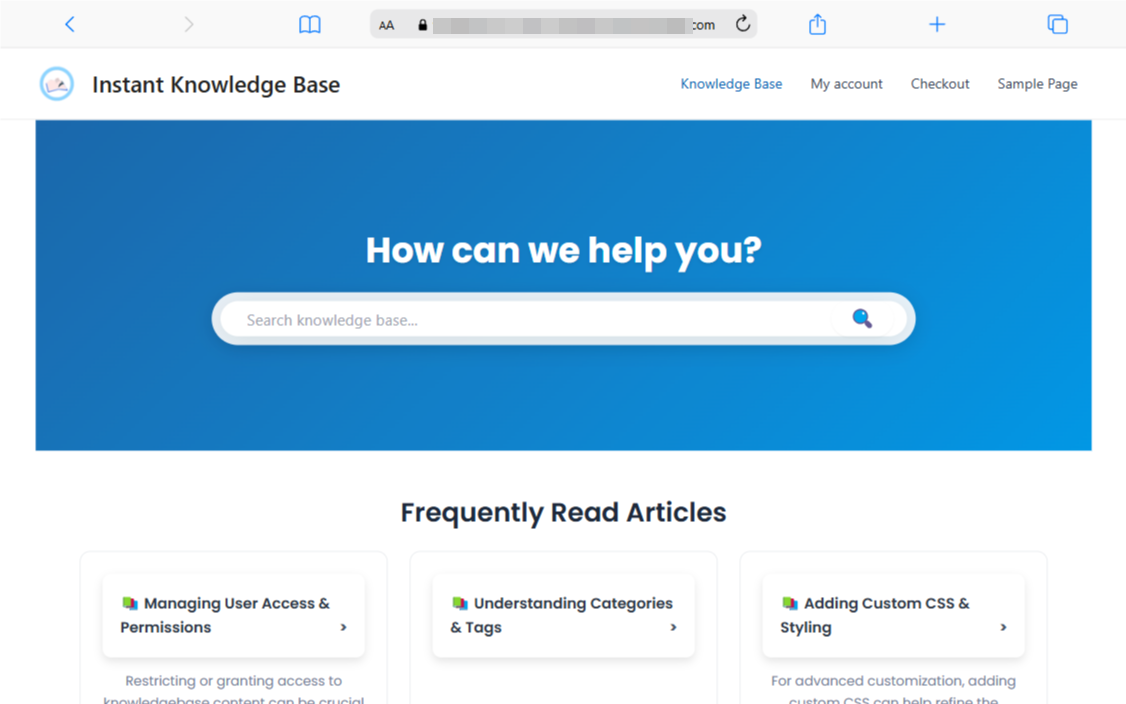
With a WordPress knowledge base plugin like Instant Knowledge Base by 7thSky Software, businesses can create a searchable help center that makes customer support easier and more efficient.
What Is a WooCommerce Help Center?
A WooCommerce help center is a dedicated section of an online store where customers can find information about products, orders, payments, and store policies.
It acts as a self-service support resource, allowing visitors to resolve common questions independently.
A typical WooCommerce help center includes:
- Shipping and delivery information
- Return and refund policies
- Payment methods and billing questions
- Order tracking instructions
- Account management guides
- Frequently asked questions (FAQs)
For example, instead of contacting customer support to ask how long delivery takes, customers can find the answer in a shipping information article.
Why Does Your WooCommerce Store Need a Help Center?
An organized help center can improve customer experience while reducing repetitive support requests.
1. Reduce Repetitive Customer Questions
Online stores often receive the same questions about shipping costs, refund policies, and payment options.
Publishing clear answers in a knowledge base allows customers to find this information without opening a support ticket.
2. Improve Customer Satisfaction
Customers prefer quick and straightforward solutions. A searchable help center makes it easier to locate relevant information and reduces unnecessary waiting.
3. Build Customer Trust
Clear policies and helpful documentation make an online store appear more transparent and reliable.
Customers who understand payment options, delivery timelines, and return procedures can make purchasing decisions with greater confidence.
4. Support Search Engine Visibility
Public help center articles can appear in Google search results when they provide useful answers to relevant questions.
For example, an article explaining how to return a product may help customers find your store’s return instructions directly through search engines.
How to Create a WooCommerce Help Center in WordPress
You do not need a separate customer support website to create a help center. WooCommerce stores can add a knowledge base directly to their existing WordPress website.
Step 1: Choose a WordPress Knowledge Base Plugin
Start by selecting a plugin that allows you to publish, organize, and manage support documentation.
Instant Knowledge Base helps WordPress website owners create structured knowledge base articles and searchable support resources.
Install and activate the plugin, then configure the knowledge base according to your store’s requirements.
Step 2: Create Help Center Categories
Organize your documentation into categories that reflect common customer questions.
For a WooCommerce store, useful categories include:
- Orders and Tracking
- Shipping and Delivery
- Payments and Billing
- Returns and Refunds
- Accounts and Login
- Product Information
Clear categories help customers navigate the help center without unnecessary confusion.
Step 3: Write Helpful Support Articles
Each article should answer one specific customer question.
For example, create separate articles titled “How to Track Your Order,” “How to Request a Refund,” and “What Payment Methods Do We Accept?”
Use simple language, descriptive headings, and step-by-step instructions. Include screenshots when they help explain a process.
Step 4: Add Search Functionality
Customers should be able to find answers quickly without browsing every category.
Instant Knowledge Base provides search functionality that helps visitors locate relevant articles.
Use descriptive titles and relevant terms so customers can easily identify the right information.
Step 5: Make Your Help Center Easy to Access
Add a Help Center or Support link to your website’s main navigation or footer.
You can also link relevant articles from product pages, order confirmation emails, and customer account pages.
This makes support information available when customers need it most.
Step 6: Update Your Documentation Regularly
Review your help center whenever shipping policies, payment methods, or store procedures change.
Keeping articles accurate prevents confusion and helps customers rely on your documentation.
Why Use Instant Knowledge Base for WooCommerce Support?
Instant Knowledge Base by 7thSky Software provides WordPress website owners with a practical way to organize support documentation.
Store owners can create categorized articles, publish helpful guides, and make information searchable through a dedicated knowledge base.
It can complement WooCommerce by providing customers with a central location for common support questions, without replacing the store’s existing order management or customer service systems.
Final Thoughts
A well-organized WooCommerce help center makes online shopping easier for customers and support management simpler for businesses.
By publishing clear FAQs, shipping guides, payment information, and return policies, store owners can reduce repetitive questions and improve the overall customer experience.
Explore Instant Knowledge Base by 7thSky Software to create a searchable help center for your WordPress-powered online store.