
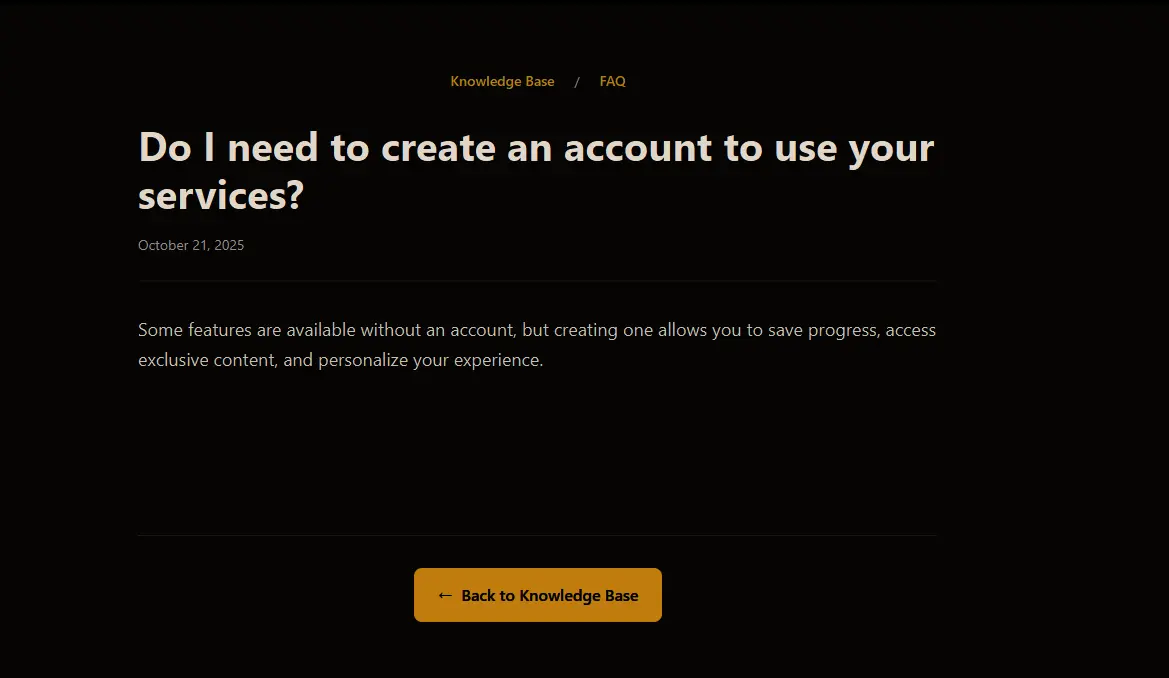
An FAQ (Frequently Asked Questions) section is a critical component of any website, helping users quickly find answers to common queries. However, to maximize its effectiveness, integrating it with a knowledge base can significantly enhance user experience, improve customer support efficiency, and boost SEO rankings.
In this article, we’ll explore how to create an effective FAQ section using a knowledge base, key best practices, and real-world examples.
Why Combine an FAQ Section with a Knowledge Base?
While an FAQ section provides quick answers, a knowledge base offers in-depth explanations, guides, and troubleshooting steps. Combining both creates a comprehensive self-service system, reducing the need for customer support interactions.
Benefits of an FAQ Section Linked to a Knowledge Base
Enhances user experience – Visitors can quickly find short answers in the FAQ and access detailed explanations when needed.
Reduces support workload – Users can self-resolve issues without contacting customer support.
Boosts SEO rankings – Well-structured FAQs and knowledge base articles improve search visibility.
Increases website engagement – Users stay longer on-site exploring related topics.
How to Create an Effective FAQ Section Using a Knowledge Base
1. Identify the Most Common Customer Questions
The first step in building an effective FAQ section is identifying what your users frequently ask. Sources include:
Customer support tickets – Review past inquiries to find recurring issues.
Live chat and chatbot interactions – Analyze chatbot logs for repeated user queries.
Website analytics – Identify common search terms and site behavior.
Customer feedback surveys – Directly ask users what information they find most useful.
Example:
A SaaS company might find that customers often ask:
- “How do I reset my password?”
- “What are the subscription pricing plans?”
- “How do I cancel my account?”
2. Organize FAQs into Clear Categories
A disorganized FAQ section can frustrate users. Categorizing questions improves navigation and usability.
Example of FAQ Categories:
- Getting Started → Account creation, setup guides
- Billing & Payments → Pricing, refunds, invoices
- Technical Issues → Troubleshooting, error messages
- Product Features → Tutorials, integrations, customization
Best Practice: Use collapsible sections (accordions) for easy readability, reducing excessive scrolling.
3. Provide Concise Answers with Links to Detailed Articles
While an FAQ section should provide quick answers, some topics require further explanation. Linking to a knowledge base article allows users to dive deeper.
Example FAQ Entry:
❓ How do I reset my password?
👉 Answer: Click on “Forgot Password” on the login page, enter your email, and follow the instructions in the reset link. Need more help? Read the full password reset guide.
Why This Works:
- Provides a quick answer for those who just need a reminder.
- Offers a detailed knowledge base link for users who require step-by-step instructions.
4. Use a Searchable and Filterable FAQ Interface
A search bar is essential for helping users quickly find relevant answers. Instead of scrolling through long lists of questions, they can type keywords to locate solutions instantly.
Best Practice:
- Implement auto-suggest functionality for real-time question recommendations.
- Use filters (e.g., Billing, Technical Issues, Account) to refine search results.
5. Make the FAQ Section and Knowledge Base Easy to Access
Your FAQ section and knowledge base should be visible and easy to navigate. Placement options include:
Top navigation bar – For instant access.
Website footer – A common location users check for help.
Live chat pop-up – Suggest FAQ links before connecting to a support agent.
Help center page – A dedicated support hub with both FAQs and knowledge base articles.
6. Optimize for Mobile Users
Since a large percentage of website traffic comes from mobile devices, ensure your FAQ section and knowledge base are mobile-friendly.
Best Practices:
- Use responsive design that adjusts to different screen sizes.
- Implement click-to-expand (accordion style) FAQs instead of long text blocks.
- Ensure links to knowledge base articles open seamlessly on mobile browsers.
7. Regularly Update FAQ Content
An outdated FAQ section leads to user frustration and increased support requests. Schedule regular updates based on:
New product updates or features
Common support inquiries over time
User feedback on unclear FAQ entries
Example:
If your software updates its interface, update related FAQ entries and knowledge base tutorials with new screenshots and instructions.
8. Track Performance and Optimize
Use analytics tools to measure how effectively your FAQ section and knowledge base help users. Metrics to track include:
Most viewed FAQ entries – Indicates which questions are most relevant.
Search queries – Helps identify missing topics users are looking for.
Bounce rate – High bounce rates on FAQ pages suggest answers may be unclear or unhelpful.Best Practice: Add a “Was this answer helpful?” option with thumbs-up/down buttons to gather feedback.
Real-World Examples of Effective FAQ Sections with Knowledge Bases
Shopify Help Center
- Provides short FAQ answers with links to detailed knowledge base articles.
- Has a searchable database for fast access to topics.
- Includes step-by-step guides with visuals.
Dropbox Support
- Uses categorized FAQs for clear organization.
- Features a search bar with predictive results.
- Links to related video tutorials and documentation.
Airbnb Help Center
- Offers personalized FAQs based on user type (host or guest).
- Uses interactive troubleshooting flows.
- Provides localized content for different regions.
Why Your Website Needs an Integrated FAQ and Knowledge Base
An FAQ section alone is helpful, but when linked to a knowledge base, it becomes a powerful self-service tool that:
Reduces support tickets by providing instant answers.
Enhances user experience with clear, structured content.
Improves SEO by driving organic traffic to well-optimized articles.
Saves time and costs by minimizing repetitive inquiries.
If your website doesn’t have an FAQ section connected to a knowledge base, now is the time to build one!