
WooCommerce Subscriptions is one of the most important tools for stores that sell recurring products, memberships, digital services, and software licenses. It allows store owners to create subscription products, process recurring payments, manage renewals, and give customers access to subscription details from the My Account area.
However, while the default customer view is useful, it can still feel limited for subscription-based businesses. Customers often want a simple way to see their renewal date, expiry date, payment method, subscription status, related orders, and available actions without digging through several pages.
That is why a WooCommerce Subscription dashboard can make a major difference. Instead of showing subscription information in a basic or scattered layout, a dashboard can turn recurring billing data into a clear customer-facing experience.
For SaaS stores, software companies, digital product sellers, and membership businesses, this is especially valuable. Customers do not just want to know what they bought. They want to know what is active, what is renewing, what payment method is being used, and what they can do next.
What Customers Need to See for a Subscription Product
A customer who buys a subscription product usually expects more information than a one-time buyer. With a normal WooCommerce order, the customer may only need order status, downloads, and billing details. With a subscription product, the relationship continues over time.
That means customers need easy access to important subscription details, including the subscription status, start date, renewal date, expiry date, billing cycle, payment method, related orders, and available actions.
A strong WooCommerce subscription dashboard should make this information visible as soon as the customer opens the account area. Customers should not need to understand how WooCommerce stores subscription records, renewal orders, or payment tokens behind the scenes.
For example, a customer with an annual software license may want to know whether the license is still active, when the next renewal will happen, and which card or payment method will be charged. If this information is hard to find, the customer may contact support for a simple account question.
A clear dashboard helps prevent that. It gives customers confidence and makes the subscription experience feel more professional.
Understanding Subscription Status: Active, Cancelled, Expired, and Pending
Subscription status is one of the first things customers look for. In a proper WooCommerce subscription dashboard, the status should be easy to identify and understand.
An active subscription tells the customer that their recurring product or service is currently available. This is usually the most important status because it confirms that access should continue.
A cancelled subscription means the customer or store owner has stopped the subscription. Depending on the store setup, the customer may still have access until the end of the prepaid billing period.
An expired subscription usually means the subscription has reached its end date and is no longer active. This is especially important for stores selling software licenses, SaaS plans, memberships, or digital access.
A pending subscription may indicate that payment has not been completed, a renewal is waiting for confirmation, or the subscription has not fully started yet.
When these statuses are displayed clearly, customers do not need to guess what is happening with their account. They can quickly understand whether their subscription is active, cancelled, expired, or waiting for action.
Renewal Date vs Expiry Date
One common source of confusion in subscription stores is the difference between renewal dates and expiry dates. Customers often assume they are the same, but they can mean different things.
The WooCommerce renewal date usually refers to the next date when the subscription is scheduled to renew. This is the date when the customer may be charged again if automatic payments are enabled.
The expiry date refers to when access ends. For example, a customer may cancel an annual subscription today, but the subscription might remain active until the end of the paid year. In that case, the renewal may be cancelled, but the expiry date still matters because it tells the customer when access ends.
A good WooCommerce subscription dashboard should show both dates when available. If an expiry date is not available, showing the renewal date can still help customers understand the next important billing event.
This is especially useful for software subscriptions. A customer may need to know when their license will stop working, when their next payment is due, or whether they have time to update billing details before renewal.
Payment Method and Renewal Order Visibility
Billing transparency is essential for subscription businesses. Customers want to know how they are being charged and which payment method is connected to their subscription.
A clear WooCommerce subscription billing view should show the payment method used for renewals whenever that information is available. This might include card details, a payment gateway name, or billing metadata from a supported payment provider.
Customers also need visibility into renewal orders. WooCommerce Subscriptions creates renewal orders to track recurring payments. These orders are useful because they show billing history, payment attempts, invoices, taxes, and related transaction details.
However, renewal orders can be difficult for customers to understand if they are only listed in a general order history page. A better approach is to connect renewal orders directly to the subscription card. This gives customers a clearer timeline of what they paid, when they paid, and what order is connected to each renewal.
For stores using Paddle for WooCommerce or SmartPay Paddle Woo, billing and transaction metadata can also improve the customer experience. Paddle often handles payment, tax, and billing information, so showing available Paddle data in the customer dashboard can help customers understand their subscription charges more easily.
Why the Default WooCommerce Subscriptions My Account View Can Feel Limited
The default WooCommerce subscriptions My Account experience gives customers a way to view subscription details, but it may not always match the expectations of modern SaaS and software users.
Many customers are used to clean SaaS dashboards from products like cloud software platforms, billing portals, and developer tools. They expect important information to be grouped into simple cards, tabs, or account panels.
In comparison, the default WooCommerce account area can feel more like a traditional eCommerce account page. It may show orders, downloads, addresses, and payment methods, but subscription-specific information may require extra clicks.
This creates a problem for stores that depend on recurring revenue. Customers should not have to search through different sections to understand their account. If the subscription information is hard to find, support teams may receive repeated questions such as:
“When does my subscription renew?”
“Which payment method will be charged?”
“Why did I receive this renewal order?”
“Is my subscription still active?”
“When does my access expire?”
A WooCommerce subscription dashboard helps answer these questions before customers need to ask.
How to Show All Subscription Details in One Dashboard Card
One of the best ways to improve the customer experience is to show subscription details in a single dashboard card.
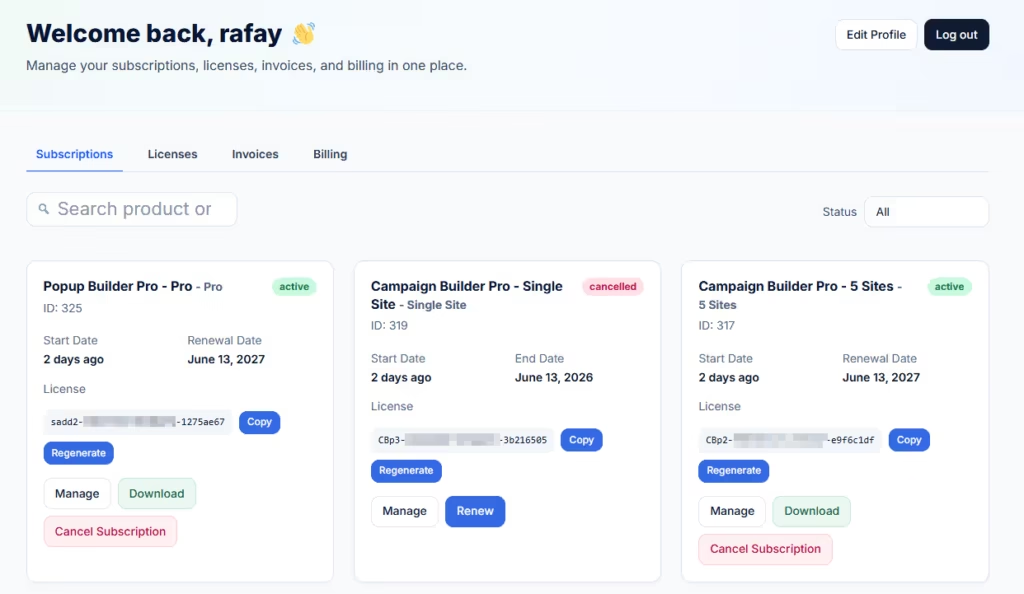
A subscription card can include the most important details in one place: subscription name, status, start date, expiry date, renewal date, payment method, related orders, and available actions.
This card-based layout works well because it is easy to scan. Customers can quickly identify the subscription they care about and check the key details without opening multiple pages.
For example, a software customer may log into My Account and immediately see:
Subscription: Pro Software Plan
Status: Active
Start Date: January 10, 2026
Renewal Date: January 10, 2027
Payment Method: Paddle
Related Order: #2451
Actions: View, Renew, Cancel, Update Payment
This kind of layout feels more modern and more useful than a basic account table. It also works well when customers have multiple subscriptions, because each subscription can be shown as a separate card.
A properly designed WooCommerce subscription dashboard should focus on clarity. The goal is not to show every technical detail. The goal is to show the details customers actually need.
How SaaS Dashboard for WooCommerce Improves the Subscription Experience
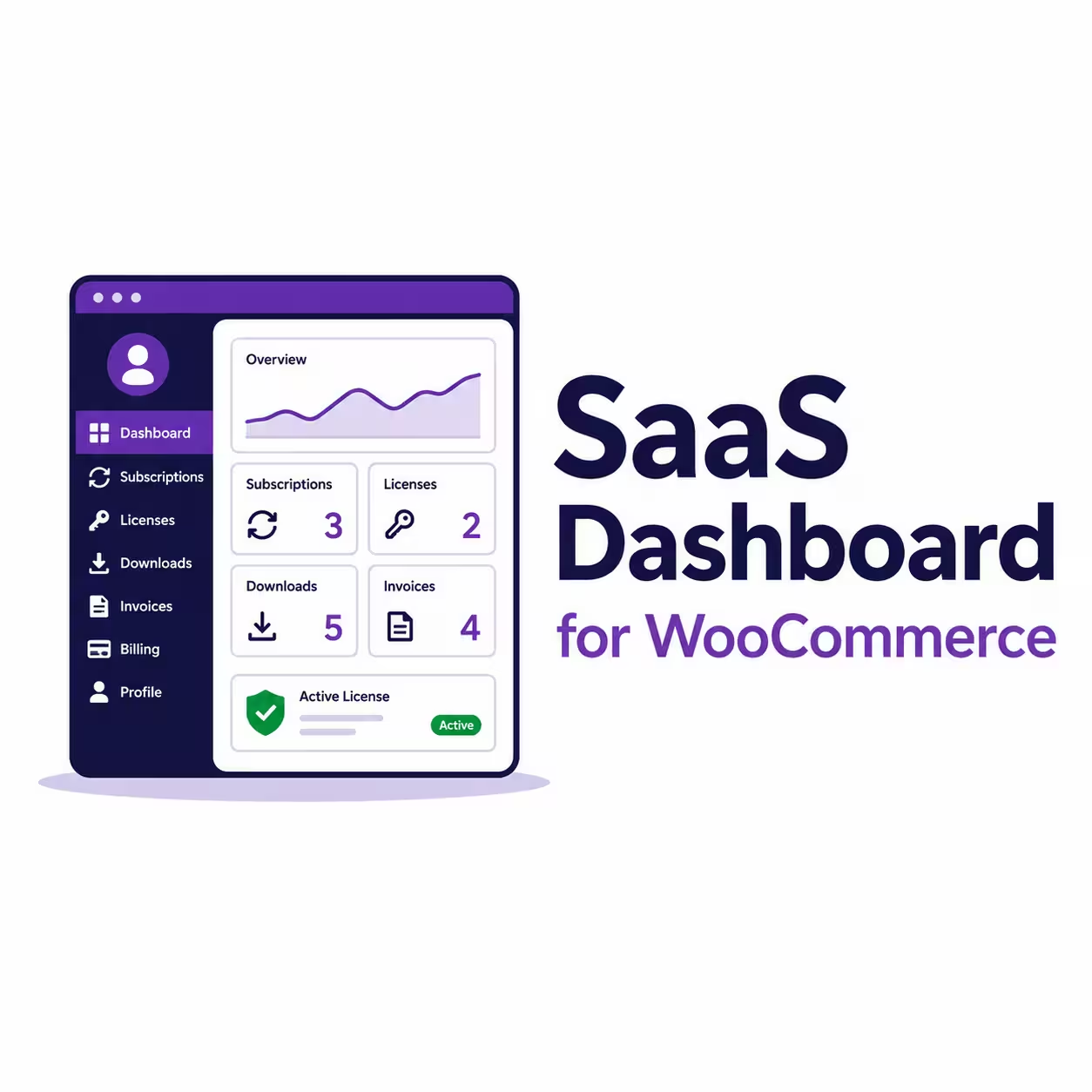
SaaS Dashboard for WooCommerce is designed to replace the default WooCommerce My Account dashboard with a focused account area for software and subscription customers.
Instead of making customers move through multiple account sections, the plugin displays subscription information in a clean SaaS-style layout. It is especially useful for stores that sell software subscriptions through WooCommerce, WooCommerce Subscriptions, Paddle for WooCommerce or SmartPay Paddle Woo, and the Software License plugin by NSP Code.
The plugin can show customer subscriptions with status, start date, expiry date, renewal date, payment method, and available actions. This makes it easier for customers to understand their subscription without contacting support.
It also connects subscriptions with other important account data, such as software licenses, downloads, invoices, related orders, and billing details. This is useful for software businesses because the subscription is often connected to access rights, license keys, downloadable files, and renewal history.
For example, if a customer purchases a subscription-based plugin, they may need to see the subscription renewal date, license key, activation limit, product download, invoice, and billing method. SaaS Dashboard for WooCommerce brings those details together in one customer-friendly account experience.
Business Benefits of a Better Subscription Dashboard
Improving the subscription account area is not only good for customers. It can also help store owners reduce support requests and improve retention.
When customers can clearly see their renewal date, expiry date, payment method, and related orders, they are less likely to feel confused about billing. This can reduce refund requests, failed renewal misunderstandings, and repetitive support tickets.
A better WooCommerce subscription dashboard also builds trust. Customers who understand their subscription are more likely to stay subscribed. They know what they are paying for, when they will be charged, and how to manage their account.
For SaaS and software businesses, this kind of clarity is important. Recurring revenue depends on long-term customer relationships, and the account dashboard is part of that relationship.
WooCommerce Subscriptions provides the foundation for selling recurring products, managing renewals, and handling subscription billing. However, customers often need a clearer way to view subscription details from My Account.
A strong WooCommerce subscription dashboard helps customers see everything they need in one place, including subscription status, renewal date, expiry date, payment method, available actions, and related orders. It turns complex recurring billing data into a simple customer experience.
SaaS Dashboard for WooCommerce improves the default account area by creating a focused dashboard for subscriptions, licenses, invoices, billing, and downloads. For software stores, SaaS businesses, and digital product sellers, this can make the customer account experience clearer, faster, and more professional.
Turn WooCommerce subscription data into a clear customer dashboard.